
GPS Location Tracker & Share
Huju Network Technology CO., Ltd.Maps & Navigation
4.14.00 Reviews
- Version
- 1.0.0.2
- Installs
- 100.00K
- Age Rating
- Everyone
Screenshots
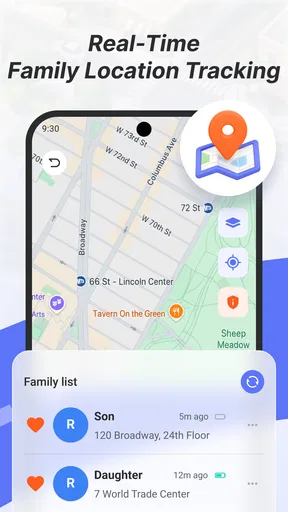
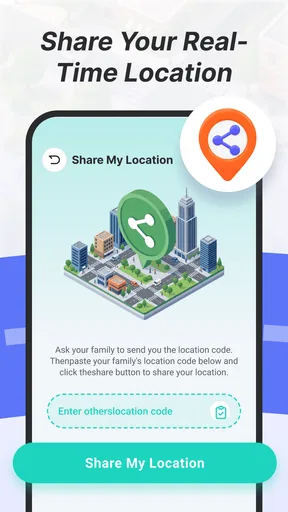
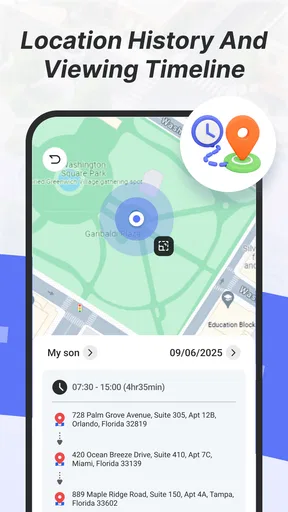
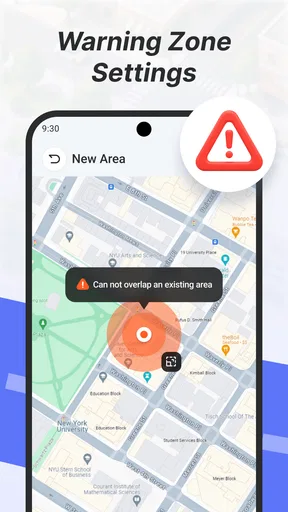
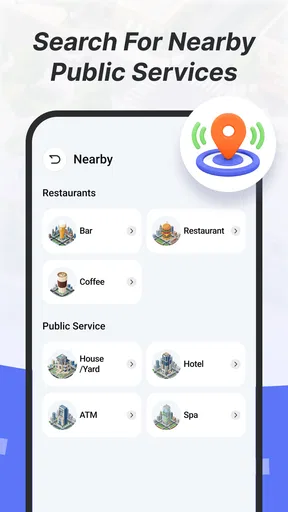
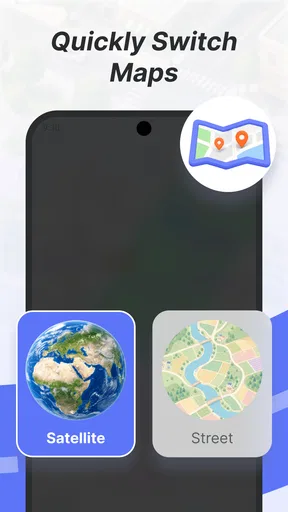
Our Review of GPS Location Tracker & Share
 Analysis by Appyee
GPS Location Tracker & Share caught my attention because it focuses on a very practical question: where are the people or devices that matter to me right now? As a free Maps & Navigation app from Huju Network Technology CO., Ltd., it is aimed at location checking rather than route planning, sightseeing, or public transit discovery. That makes its value easy to understand, but also raises an important question: does it remain useful after the first few days of curiosity?
My overall impression is that this is the kind of app that can become quietly helpful when a household or small group agrees on a simple routine. It is less convincing as something I would open constantly without a clear reason. The central experience is built around GPS location tracking and family positioning, so its usefulness depends heavily on whether the people involved actually keep using it consistently.
What the first week feels like
The first week is likely to be the most interesting period because location sharing immediately turns an abstract promise into something visible. Instead of sending repeated messages such as “Where are you?” or “Have you arrived?”, I can use the app as a shared point of reference. That is especially appealing for families, couples, or close friends who regularly coordinate journeys and arrivals.
A realistic example is a parent waiting for a teenager after an activity. Rather than interrupting with a call, the parent can check the family positioning view and get a better sense of whether the person is still traveling or already nearby. The same idea works when someone is driving to meet others, returning from work, or walking home after dark. It does not remove the need for communication, but it can reduce unnecessary messages.
The app’s store summary describes personal location and real-time family positioning, while its short description presents it as a GPS location tracker. Those phrases point to a focused experience rather than a large navigation suite. I would not approach it expecting the detailed route tools, traffic layers, business discovery, or turn-by-turn guidance normally associated with established map applications. Its appeal is the people-centered view of location.
During an initial setup, the most important decision is not technical; it is social. Everyone who needs to appear in the shared view has to understand why the app is being used and when checking it is appropriate. A location tool works best when the group treats it as a convenience and safety aid, not as a way to monitor every movement. Establishing that expectation during the first week prevents many problems later.
I also recommend testing the app in ordinary conditions before relying on it for an important meeting. Check whether each person appears correctly, whether the displayed position updates as expected, and whether everyone knows how to open the relevant screen. A short walk around the neighborhood is more useful than assuming everything is ready after installation.
Because the application is free and carries an Everyone content rating, it is approachable for a broad audience. It runs on Android devices using version 8.0 or later, which covers many phones still in everyday use. That accessibility helps when a family has a mixture of newer and older devices, although the practical experience can still vary with each phone’s GPS behavior, battery settings, and connectivity.
The first-week novelty comes from replacing scattered updates with a visual check. I found that this can make coordination feel calmer, particularly when several people are moving at different times. However, the novelty fades quickly if the group only opens the app to experiment. The real test is whether it solves a recurring inconvenience better than a message or a call.
Useful habits that appear early
One useful workflow is to make location checking part of an existing routine rather than creating a new ritual. For example, a household might check before leaving for a shared appointment and again when the last person is expected home. That keeps the app connected to a real need instead of turning it into a screen that people inspect out of habit.
Another practical approach is to use it as a supplement to a clear meeting plan. If friends are meeting at a busy place, the tracker can help show who is still approaching, but a written meeting point remains important. GPS positioning is not a substitute for agreeing on an entrance, platform, parking area, or landmark. This distinction matters because a map position can be useful without being precise enough to identify the exact place where someone is waiting.
A third insight is that the app is more valuable for reducing uncertainty than for replacing conversation. If a person is delayed, the location may explain why they have not arrived, but it does not explain whether they are safe, need help, or want plans changed. I would still send a message when the situation matters. The strongest use is a quick context check followed by direct communication when needed.
Whether it earns a place after the novelty
After the first month, the question changes from “Can I see a location?” to “Do I still need this view often enough to justify keeping it?” For some households, the answer will be yes. A family with changing schedules may appreciate a single place to check general whereabouts. The app can be especially convenient when several people are traveling at different times and repeated status messages become annoying.
For other users, the value may be occasional rather than daily. Someone who rarely coordinates with a group, spends most of the day in one place, or already has a reliable communication routine may not gain much from maintaining another app. In that situation, a normal messaging app can be simpler, while a standard map application may be better for directions and places.
This is where GPS Location Tracker & Share differs from usual alternatives. A general map app is usually designed around roads, destinations, routes, and geographic information. A messenger is built around conversation and temporary updates. This app’s identity is closer to a shared location window for a defined circle. That narrow purpose can be an advantage when it matches the household’s needs, but it also means it has less to offer when the need is navigation rather than positioning.
I would not keep it installed merely because location sharing sounds useful in theory. I would keep it if it replaces a repeated annoyance: checking whether a family member has left, coordinating arrivals, or getting a quick sense of where a group is during a trip. The recurring value comes from those repeated moments, not from the novelty of seeing a dot on a map.
The app has reached a 4.1 average from around one hundred ratings, with a smaller number of written reviews. That gives me a generally positive but measured impression rather than a reason to assume it will suit every household. Its install base is above one hundred thousand, which suggests that the concept has found an audience, while the relatively focused feature set still makes personal testing important.
Who benefits most over time
I see the strongest long-term fit for families that need lightweight coordination without turning every movement into a conversation. It may also suit couples with different schedules, friends traveling together, or caregivers who want a convenient way to check a shared group. The common thread is repeated coordination among people who already know and trust one another.
The weaker fit is for someone seeking professional fleet tracking, detailed travel history, emergency response, or a full navigation replacement. Those needs call for tools designed specifically around those responsibilities. I would also hesitate to recommend it to a group that has not agreed on location-sharing boundaries. No tracking app can solve a trust problem, and adding one may make that problem more visible.
Another trade-off concerns precision and timing. A location tracker can only be as useful as the information reaching it. Buildings, crowded areas, weak connectivity, battery-saving behavior, and delayed updates can all affect what a user sees, even when the app itself is straightforward. I would treat the displayed position as helpful context, not as proof of an exact second-by-second location.
That is an important long-term habit: avoid making safety-critical decisions from a single map view. If someone is late, the location can guide the next question, but a call or message remains the right step when there is genuine concern. The app supports awareness; it should not become the only safety plan.
Maintenance, friction, and the reasons people stop using it
Location apps have a maintenance burden that is easy to underestimate. The group has to remember that the app exists, keep the relevant people connected, and notice when a device is no longer updating as expected. Even without a complicated interface, this creates a small amount of household administration.
The biggest source of fatigue is probably not opening the app; it is keeping the shared arrangement meaningful. If one person stops using it, changes phones, or no longer wants to participate, the usefulness of the group view falls for everyone. A tracker is therefore different from a single-user utility. Its value is collective, and collective tools are vulnerable to one inactive participant.
I would set a simple monthly check-in rather than constantly troubleshooting. Ask whether everyone still wants to share location, remove people who no longer need access, and test the view before a trip or busy week. This is a small but non-obvious maintenance step that can prevent the app from becoming an unreliable emergency shortcut.
Another sensible practice is to avoid leaving the app’s purpose vague. If the group uses it for arrival coordination, say that clearly. If it is intended for family awareness during travel, make that the expectation. Vague use encourages overchecking, while a defined purpose makes it easier for people to decide when the app is genuinely helpful.
Battery and connectivity are also part of the real-world trade-off, even though they are not visible in the store summary. Any GPS-based experience depends on the phone being available and able to determine its position. I would watch how the app behaves during a normal day before making it part of a critical routine. If a phone is frequently offline or aggressively limits background activity, a user may experience gaps that feel like app failures even when the underlying cause is the device environment.
The app’s current version is 1.0.0.2, so I would approach it as a focused product that deserves practical testing rather than automatic trust built from years of familiarity. That does not make it a poor choice, but it does make a gradual rollout sensible. Start with ordinary coordination, learn how the group uses it, and only then decide whether it belongs in more important routines.
Where fatigue comes from
Repeated checking can become tiring when it does not lead to an action. If I open a tracker several times simply because I can, the convenience turns into a habit without a clear benefit. The better pattern is to check when I need to decide whether to leave, wait, call, or adjust a plan.
Privacy expectations can create another kind of fatigue. Even among close relatives, people may not want continuous visibility into every movement. A healthy arrangement needs consent and room for personal boundaries. If someone feels watched rather than supported, the app will gradually lose participation, regardless of how well the map works.
There is also a comparison problem. People may install this app expecting it to behave like a familiar navigation platform, then feel disappointed when their actual need is route guidance or place search. I would avoid that mismatch by defining the product as a family-positioning tool first. For driving directions, a dedicated maps app remains the more natural choice. For quick arrival updates, messaging may be faster. This app makes sense in the space between those two options.
One of the most useful ways to reduce friction is to give the app a specific place in a routine, such as checking the group before a shared pickup. That makes its purpose memorable and keeps it from competing with every other communication tool. If no recurring situation benefits from it, uninstalling it may be the more honest decision.
My long-term verdict
I like GPS Location Tracker & Share most when I think of it as a small coordination layer for people who already share trust and schedules. It is free, easy to understand in concept, and focused on a problem that many families recognize. The first-week experience can be satisfying because it turns repeated “where are you?” messages into a quick visual reference.
Its lasting value is more conditional. The app earns space when it supports a recurring workflow, such as checking arrivals, coordinating a moving group, or keeping track of family members during a busy day. It does not earn that space simply by offering location tracking. The group must participate, the purpose must remain clear, and users must remember that a displayed position is context rather than a complete safety guarantee.
I would recommend trying it to a household that wants a dedicated family-positioning option and is willing to establish respectful boundaries. I would not recommend it as a replacement for a full navigation app, a professional tracking system, or direct communication during an urgent situation. Those are different jobs, and choosing the right tool matters more than having every possible feature in one place.
The developer, Huju Network Technology CO., Ltd., has kept the product’s identity straightforward: a GPS location tracker centered on personal and family positioning. That focus is its clearest strength. It avoids asking the user to learn a broad navigation platform when the real need is simply seeing where a trusted group is located.
My final advice is to judge it after the first month, not after the first exciting setup. Install it, test it during a normal day, agree on when location checking is appropriate, and see whether it removes a repeated inconvenience. If the answer is yes, the app can become a quiet, useful part of household coordination. If the answer is no, a message or conventional map tool will probably serve you better, and there is little reason to keep another tracker waiting on the phone.
Verdict
Strengths of GPS Location Tracker & Share
- Real-time location sharing helps coordinate meetups and family plans.
- Simple map view makes shared locations easy to understand.
- Useful for checking whether contacts are still traveling.
- Location links can simplify communication during emergencies.
- Works well for occasional trips, events, and group activities.
Limitations of GPS Location Tracker & Share
- Continuous GPS use may noticeably reduce battery life.
- Accurate tracking depends on GPS, mobile data, and signal quality.
- Sharing location can raise privacy concerns if permissions are mismanaged.
- Some features may require subscriptions or in-app purchases.
- Background tracking may stop when battery-saving settings restrict the app.
Other Releases by Huju Network Technology CO., Ltd.
View All
Local Weather - Radar & Widget
Weather4.0
Similar Picks in This Category
View All
Uber - Request a ride
Uber Technologies, Inc.4.7


inDrive. Rides with fair fares
® SUOL INNOVATIONS LTD4.8

Yandex Go: Taxi Food Delivery
Mikromobilnost LLC Belgrade4.8

Bolt: Request a Ride
Bolt Technology4.8

Rapido: Bike-Taxi, Auto & Cabs
Rapido Bike Taxi4.8
Frequently Asked Questions
What is GPS Location Tracker & Share used for?
GPS Location Tracker & Share is designed to help users view, share, and monitor real-time locations through a mobile device. It can be useful for coordinating with family members, meeting friends, tracking a trip, or keeping an eye on a device’s reported position. The exact tools may vary by version, so users should review the app’s current feature list before downloading.
Does GPS Location Tracker & Share require permission to access my location?
Yes. The app needs location permission to determine and display your device’s position. Depending on the features you use, it may request access while the app is open or allow background location access for continuous sharing. You should read each permission request carefully and choose the most limited option that still provides the functionality you need. Location sharing should only be enabled with people you trust.
Can I share my location with family or friends in real time?
The main purpose of GPS Location Tracker & Share is to make location sharing easier, but the exact sharing method can depend on the app version and device platform. You may need to create a link, invite a contact, or send your location through another communication service. Before relying on it for travel or safety, test the sharing process and confirm that the recipient can see the correct position.
Does GPS Location Tracker & Share work without an internet connection?
GPS can calculate a device’s position without mobile data or Wi-Fi in some situations, but sharing that position generally requires an internet connection. Without connectivity, the app may be unable to update your location for other users, and map information may be limited if it has not been cached. Accuracy can also change indoors, underground, or in areas with weak satellite reception.
Is GPS Location Tracker & Share safe and accurate to use?
The app can be convenient, but no location tracker should be treated as perfectly accurate or as a replacement for emergency services. Accuracy may be affected by buildings, weather, battery-saving settings, poor signal, or disabled permissions. Review the app’s privacy policy before sharing sensitive information, use a strong device lock, stop sharing when it is no longer necessary, and regularly check which people or services can access your location.
